
Close

Earned wage access
Advanto People



Welcome to the Advanto support site!
On this page you can find helpful tutorials, FAQs and further information to help you take full advantage of all Advanto features. If you have any further questions or need any advice, please do not hesitate to contact us. We are here to help you!
Advanto is a service that allows you to withdraw part of your earned wages at any time. The amount available for withdrawal accumulates during the month based on your work. With just a few clicks, you can transfer your earned wages to your bank account.
The amount you withdraw using Advanto will then be automatically deducted from your pay in the same month. Any money you don't withdraw will be paid to you in the standard pay period from the company you work for.
Don't wait for the standard payday, with Advanto you can get paid at any time.
Registration and use of Advanto is free. No interest is associated with Advanto. The fixed fee for each withdrawal depends on Advanto's arrangement with your employer.
Securing your data is an absolute priority for us and we store all data in accordance with GDPR. You can find out more information here: https://www.advanto.cz/privacy/en/gdpr.
Registration is company-specific and employees are always informed internally. Please make sure that all the information you enter (email, phone number, etc.) matches that of your employer. Some companies do not make Advanto available to employees in a probationary period. Please check with your HR department to verify this information.
To register, download the Advanto App on the App Store or Google Play or type https://moje.advanto.cz/ into your browser.
In the next step, select the company you work for.
Depending on the registration settings of the selected company, two options follow. Signing up using a) the company code or b) the registration email:
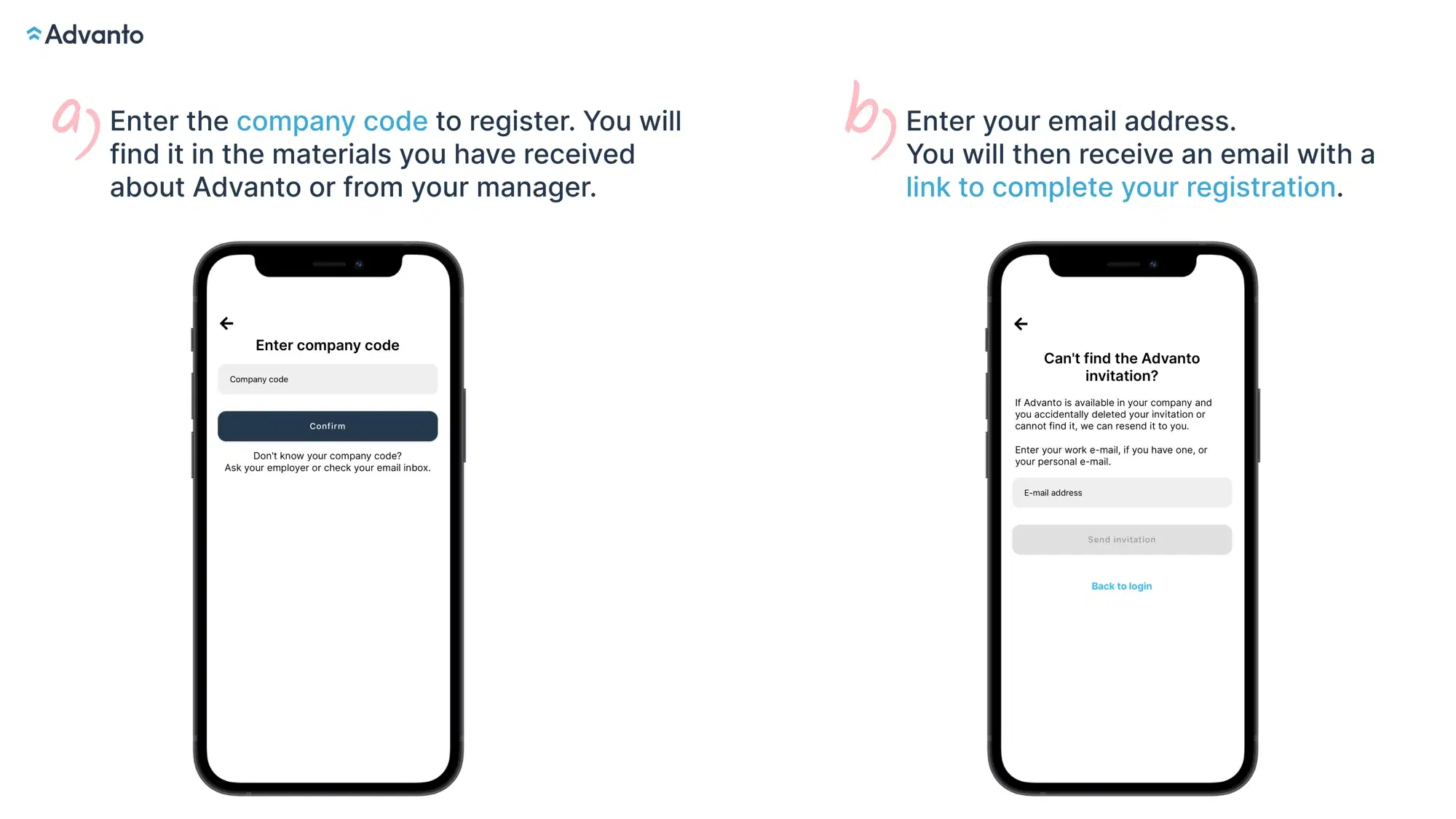
To complete the registration, you will also need your employee number, which you can get at your HR department or on your payslip.
If you are registering using the QR code that was in the Advanto materials, you automatically skip the steps of selecting the company and entering the company code and start by filling in your personal information.
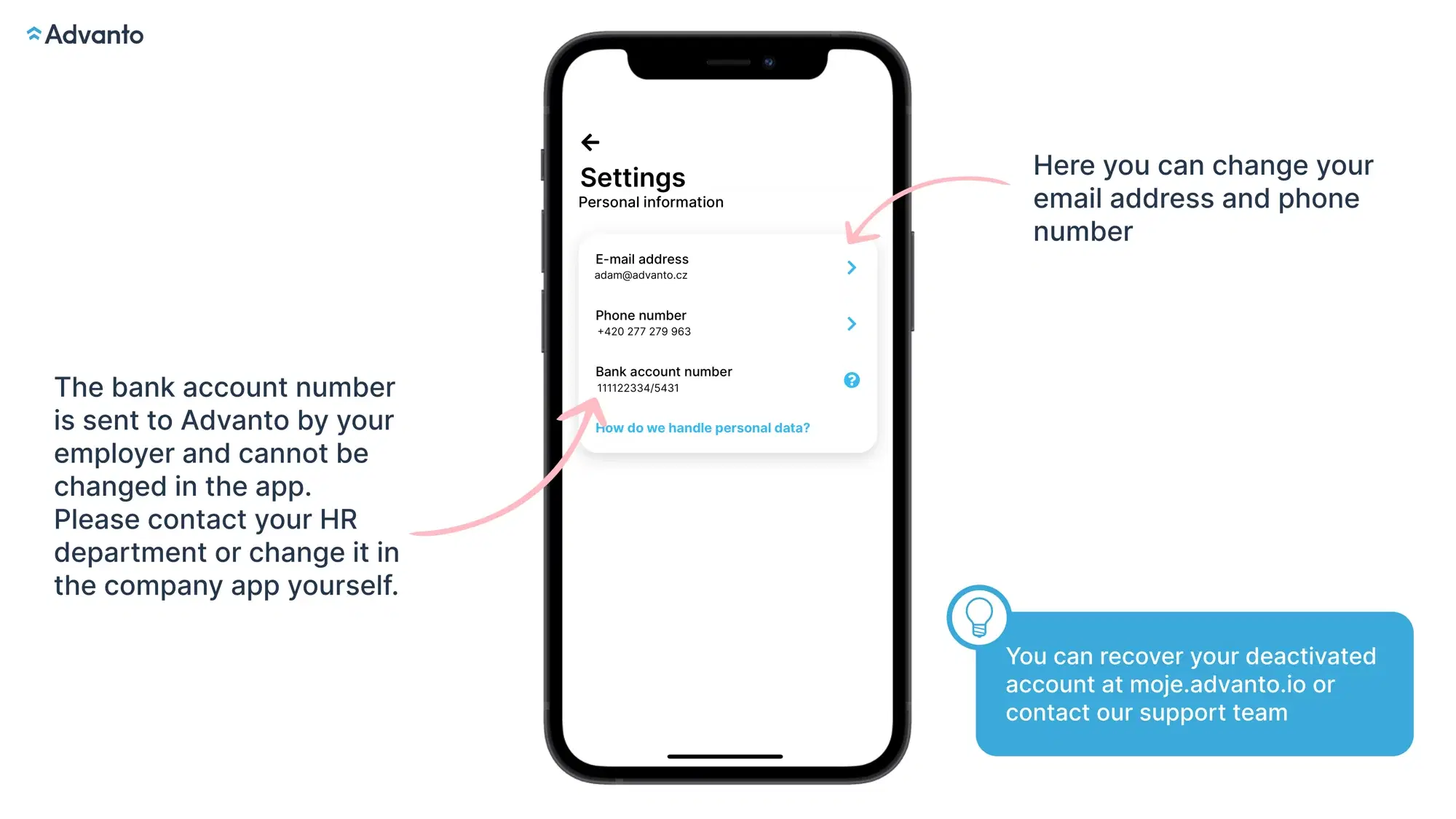
Your personal account settings can be accessed from the main page of the app by clicking on the little person icon in the top right corner and then clicking on the settings icon.

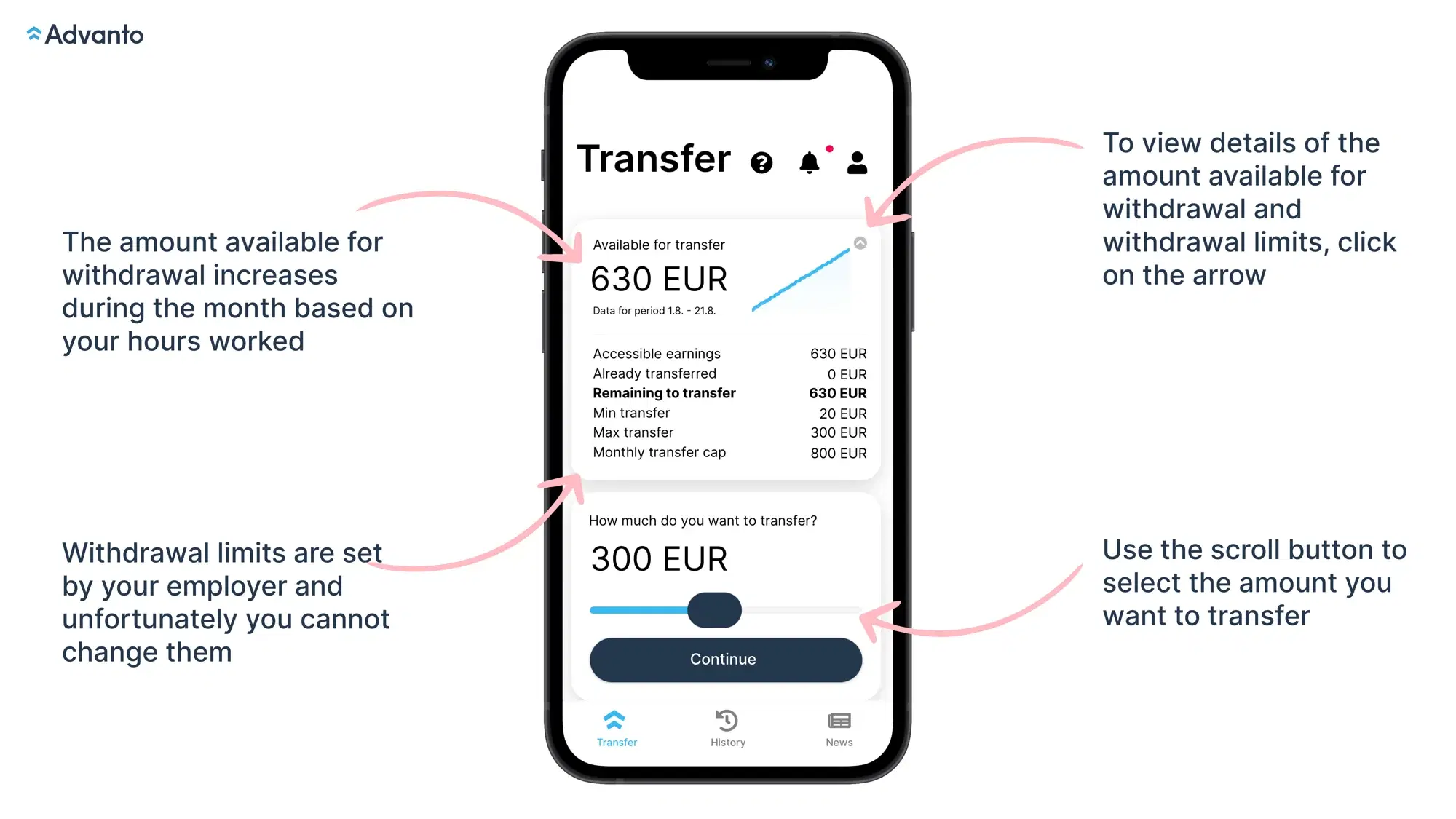
On the main page, you can see an overview of all the important information regarding your withdrawals and earnings. You can see the balance available for withdrawal as well as the maximum and minimum withdrawal limits.
Your shifts and earnings are always updated automatically after the company you work for sends us your shift data. Advanto is only the recipient of this data and we have little control over the process.
We currently send money from withdrawals through several different intermediaries. Money sent from our account goes to one of our intermediaries who then sends the money to your bank and into your account.
Based on your bank, the system determines which intermediary we are able to send the money through as quickly as possible.
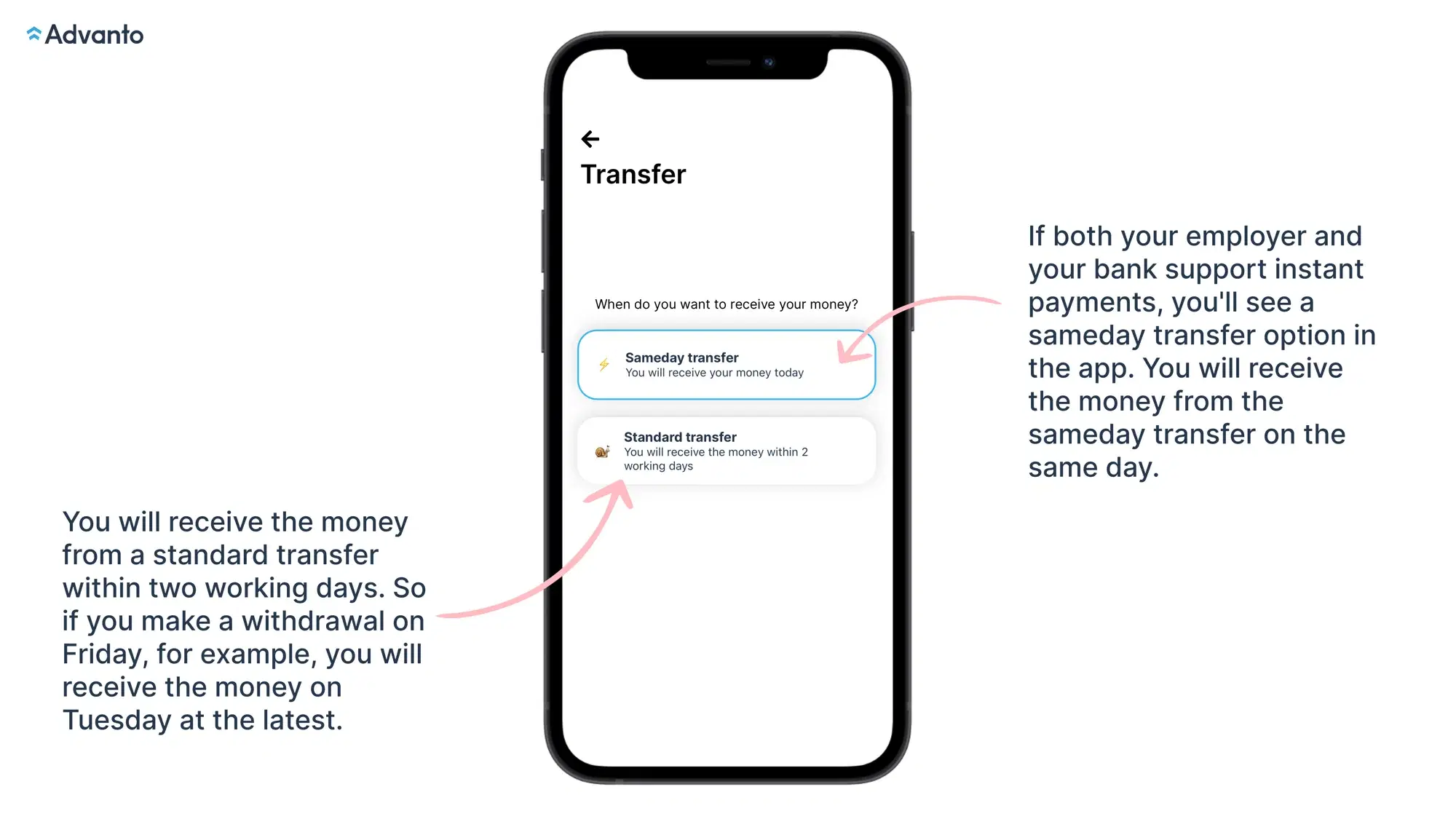
If our system assesses that we are unable to deliver your money instantly at a certain time, only a standard withdrawal option is offered. The money will arrive in your bank account within two working days.
You can check here if your bank supports instant payments.